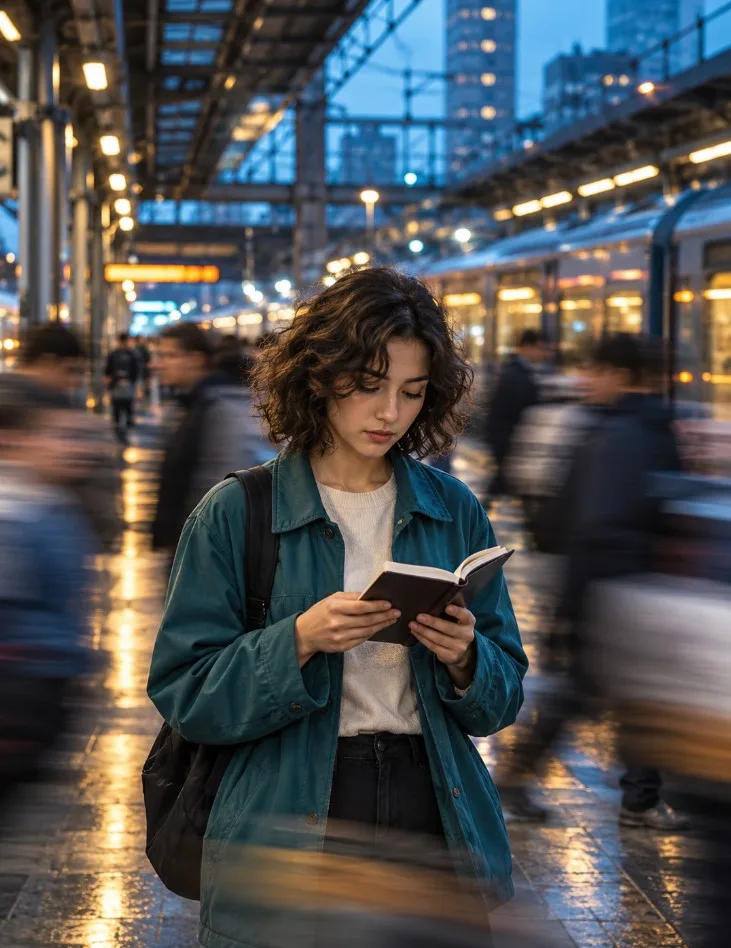
Cinematic Motion Blur AI Portrait Photography Prompt
Create atmospheric urban portraits with a cinematic motion blur effect using AI image generation. This concept places a calm, sharply focused subject in contrast with a busy city environment.
Copy the AI Photography Prompt
Copy the master prompt and paste it into your preferred AI image generator. The prompt combines a detailed portrait, modern transit architecture, evening lighting, and moving commuters to create a compelling editorial photograph.
How to Create the Effect
• **Subject focus:** Keep the person's face, hands, and main subject details sharp.
• **Motion blur:** Apply directional movement to background pedestrians.
• **Lighting:** Combine cool blue ambient light with warm station lights.
• **Environment:** Include realistic platform structures, trains, and reflective flooring.
• **Composition:** Use a vertical portrait layout with the subject clearly separated from the background.
Customize Your Image
Try different jacket colors, subway stations, rainy streets, shopping districts, or nighttime city settings. Change the subject's activity and the direction of the crowd movement to develop your own variations.
Final Tip
For a more photographic result, prioritize natural anatomy, realistic hands, believable reflections, and controlled background blur. Generated results can vary between AI models, so refine the prompt when needed.
What this prompt helps you create
Create cinematic AI portraits with motion-blurred crowds, atmospheric city lights, and a sharply focused subject. Explore this creative urban photography prompt for reali This prompt gives you a structured starting point for subject, composition, lighting, styling and image quality. Use it as a guide rather than a guarantee: results vary with the reference image, generator and settings.
How to use this prompt
- Choose a clear reference image.Use a photo you own or have permission to edit; a sharp, well-lit image usually gives the model more useful detail.
- Copy the master prompt.Paste it into your image tool and upload the reference image if the prompt calls for one.
- Generate, review and refine.Change one detail at a time—such as lighting, background or crop—so you can tell what improved the result.
- Check before publishing.Review faces, hands, text, logos and artifacts, and make sure you have rights to the source image.
Copy-ready AI prompt
Copy the prompt below, then customize the subject, color palette, camera framing or setting to match your project.
Create a photorealistic cinematic urban portrait of a young adult woman standing still on a modern metropolitan train platform at blue hour, quietly reading a small open notebook. She has naturally textured shoulder-length dark curly hair and wears a deep teal oversized jacket over a simple cream sweater, dark trousers, and a minimal black backpack. Her expression is peaceful and introspective, with her gaze directed downward toward the pages. Capture her face, hands, clothing, and notebook in crisp natural detail while commuters move rapidly through the background, creating authentic directional motion blur. A stationary train, glass station architecture, glowing amber platform lights, cool blue evening tones, and reflections across a slightly wet tiled floor establish a cinematic atmosphere. Use a realistic 50mm photography lens, shallow depth of field, balanced exposure, subtle film grain, natural skin texture, soft highlights, and controlled contrast. Compose the subject centrally in a vertical 4:5 frame with clear separation from the moving crowd. Premium editorial street photography, realistic proportions, lifelike lighting, professional photographic quality. No text, no logos, no watermark, no borders.
Tips for a better result
- 01Use a clear reference image.
- 02Try multiple variations.
- 03Review the final image before publishing.
Suggested settings
These are starting recommendations, not fixed requirements. Use the aspect ratio and controls available in your chosen AI tool.
Frequently asked questions
Can I use this prompt with Gemini?
Yes, you can try it in Gemini or another compatible image-generation tool. Interface options and results can vary by product and account.
Why does my result look different?
Reference images, model versions, aspect-ratio controls and random variation can all affect the output. Refine the prompt in small steps.
Can I use the generated image commercially?
Check the terms of your chosen AI service and the rights for any uploaded reference image, brand marks or third-party material before commercial use.
Creator tip: If your image generator struggles with lettering, generate the artwork without text and add accurate typography afterward in your design editor. Example images on this page should be replaced with your own final outputs before treating them as tested results.