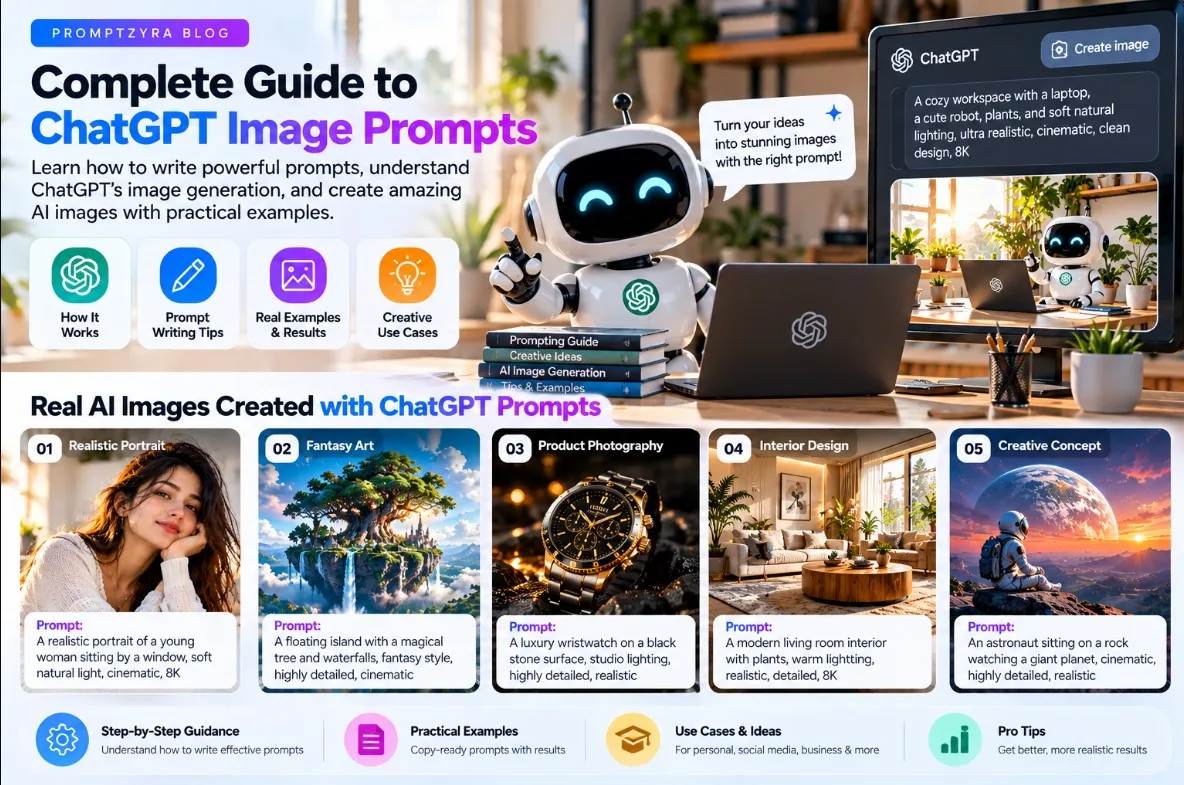
ChatGPT Prompt Engineering for Beginners: A Complete Guide
Artificial intelligence can help you write articles, generate creative ideas, understand complex topics, create image prompts, and solve everyday problems. However, the quality of an AI response often depends on how clearly you explain your request.
This is where prompt engineering becomes useful.
Prompt engineering is the process of writing and refining instructions to help an AI model produce a response that better matches your goal. You do not need advanced programming skills to get started. A few simple techniques can make your instructions clearer and your results more useful.
In this beginner-friendly guide, you will learn how to write effective ChatGPT prompts, explore practical examples, and discover ways to use GPT for content creation, image generation, research, and productivity.
What Is Prompt Engineering?
Prompt engineering means designing instructions, questions, or examples that guide an AI model toward a desired result.
For example, consider these two requests:
**Basic prompt:**
"Write about photography."
**Improved prompt:**
"Write a beginner-friendly 700-word guide to portrait photography. Explain natural lighting, camera angles, composition, and common mistakes. Use clear headings and practical examples."
The second prompt provides a topic, audience, length, scope, and structure. This gives the AI more information about what you need.
A detailed prompt does not always guarantee a perfect answer, but clear instructions usually make it easier to obtain a relevant starting point.
The 6 Essential Elements of a Good GPT Prompt
### 1. Define the task
Start with a clear action. Tell the AI whether you want it to explain, summarize, compare, brainstorm, write, or analyze something.
Example: "Explain how search engine optimization works for beginners."
### 2. Provide context
Give the AI relevant background about your goal, project, audience, or situation.
Example: "I am creating an educational blog for people who are new to AI image generation."
### 3. Specify the audience
Explain who will use or read the result.
Example: "Write for beginners who have never used an AI image generator."
### 4. Describe the output format
Tell the AI how you want the answer organized.
Example: "Use an introduction, five numbered steps, practical examples, and a short conclusion."
### 5. Include useful constraints
Mention important requirements such as tone, length, language, technical level, or things to avoid.
Example: "Use simple English, avoid unnecessary jargon, and explain technical terms when they first appear."
### 6. Explain what success looks like
Describe the qualities that matter most in the final answer.
Example: "The guide should be practical, accurate, easy to follow, and useful without requiring paid tools."
5 Copy-and-Paste ChatGPT Prompt Examples
### 1. Educational Explanation Prompt
**Use this prompt to learn a new topic:**
Act as a patient educational tutor. Explain [TOPIC] to a complete beginner using simple English. Start with a clear definition, explain the main concepts step by step, include three practical examples, identify common misunderstandings, and finish with five review questions. If something is uncertain, explain the uncertainty rather than inventing facts.
**Useful for:** Learning technology, understanding difficult concepts, studying, and building new skills.
### 2. Blog Writing Prompt
**Use this prompt to create a structured article draft:**
Act as an experienced educational content writer. Write an original, helpful blog article about [TOPIC] for [TARGET AUDIENCE]. Identify the reader's main question, create a descriptive title, write a useful introduction, organize the article with logical H2 and H3 headings, provide practical examples, and answer relevant frequently asked questions. Use natural language and avoid repetitive filler. Do not invent statistics, quotations, or sources. Suggest a suitable meta description and URL slug separately.
**Useful for:** Blog planning, article drafting, educational websites, and content outlines.
Note: Review factual claims and edit the draft before publishing. An AI-generated article is not automatically accurate or search-engine optimized.
### 3. AI Image Prompt Generator
**Use this prompt to create detailed image-generation instructions:**
Act as an AI image prompt specialist. Develop three distinct prompts for [IMAGE SUBJECT]. For each prompt, describe the subject, setting, composition, lighting, colors, textures, background, and visual style. Specify the intended aspect ratio and make each concept meaningfully different. Avoid contradictory instructions and unnecessary repeated keywords. Return each prompt in a separate copy-ready section.
**Useful for:** Gemini image generation, ChatGPT image generation, creative projects, and visual content planning.
### 4. Research and Comparison Prompt
**Use this prompt to understand a topic more carefully:**
Help me research [TOPIC] for [PURPOSE]. Separate established facts from assumptions and opinions. Identify the most important questions, explain competing viewpoints, and list the evidence needed to evaluate each claim. When current information matters, use reliable, up-to-date sources and provide links to the supporting material. State any limitations and do not invent citations.
**Useful for:** Product comparisons, technology research, educational content, and decision-making.
### 5. Problem-Solving Prompt
**Use this prompt to work through a difficult task:**
Help me solve the following problem: [DESCRIBE THE PROBLEM]. First, clarify the desired outcome and identify the important constraints. Then propose three realistic approaches, compare their advantages and disadvantages, and recommend a practical next step. State any assumptions and explain what information would change the recommendation. Keep the response organized and actionable.
**Useful for:** Planning, troubleshooting, workflow improvement, and everyday problem-solving.
How to Improve a Weak GPT Response
Your first prompt does not need to be perfect. You can improve the result by giving the AI more specific feedback.
### Step 1: Identify the problem
Decide whether the answer is too general, too long, poorly organized, incomplete, or factually questionable.
### Step 2: Give targeted feedback
Instead of asking the AI to "make it better," identify the exact change you need.
For example: "Rewrite the introduction with a more specific example, remove repeated ideas, and explain the main concept in simpler language."
### Step 3: Add missing information
If the response ignores an important requirement, restate that requirement clearly.
For example: "The target audience is beginners, and the guide must include examples that do not require programming."
### Step 4: Verify important facts
AI models can make mistakes or provide outdated information. Verify important claims using reliable sources, especially when working with technical, legal, financial, medical, or time-sensitive topics.
### Step 5: Evaluate the final result
Check whether the answer meets your original objective, follows your constraints, and contains enough useful information.
Common Prompt Engineering Mistakes
**Being too vague:** A request such as "make something good" does not communicate a specific goal.
**Giving conflicting instructions:** Asking for an extremely short answer with exhaustive detail can produce an inconsistent result.
**Adding irrelevant context:** Extra information that does not affect the task can distract from the main objective.
**Assuming AI is always correct:** Confident wording does not guarantee factual accuracy.
**Repeating keywords unnecessarily:** Adding the same terms repeatedly does not automatically improve an answer.
**Failing to iterate:** Refining a prompt after reviewing the first result can help you get closer to the intended outcome.
Does Prompt Engineering Require Coding?
No. Many useful prompt engineering techniques involve ordinary written instructions. You can describe your goal, provide examples, specify the format, and refine the response without writing code.
Programming can be useful for advanced AI workflows, API integrations, and automated applications, but it is not a requirement for everyday prompt writing.
Can the Same Prompt Work in Every AI Tool?
Not always. Different AI models and applications have different capabilities, interfaces, and limitations.
A prompt designed for writing an article may need a different structure from a prompt designed to generate an image. Even when two tools accept similar instructions, their results may differ.
For better results, adapt the prompt to the specific task and review the output produced by your chosen tool.
Frequently Asked Questions
### What is the best way to write a ChatGPT prompt?
Clearly explain the task, provide relevant context, specify your audience, describe the desired format, and mention important constraints. Refine the prompt after reviewing the result.
### What is an example of an effective GPT prompt?
"Explain [TOPIC] to a beginner in simple English. Include five practical examples, organize the answer with headings, and finish with a short summary." This structure is useful because it clearly defines the task and expected output.
### Is prompt engineering a useful skill for beginners?
Yes. Clear instructions can help beginners use AI tools for writing, learning, brainstorming, research, and creative work. You can develop this skill through experimentation and feedback.
### Can ChatGPT help with SEO content?
ChatGPT can help brainstorm topics, organize article outlines, draft content, suggest titles, and generate meta description ideas. You should still evaluate search intent, verify facts, add original value, and review the published page.
### How can I get more accurate AI answers?
Provide sufficient context, request clarification when necessary, ask for reliable sources when relevant, and independently verify important claims. No prompt can guarantee that every answer will be correct.
Final Thoughts
Prompt engineering is a practical way to communicate more clearly with AI tools. You can begin by defining your task, supplying relevant context, specifying the output format, and improving the instructions based on the results.
Use the examples in this guide as starting points, customize them for your own goals, and verify important information before relying on it.
Explore more AI guides, creative prompt ideas, and practical tutorials on Promptzyra to continue developing your AI skills.