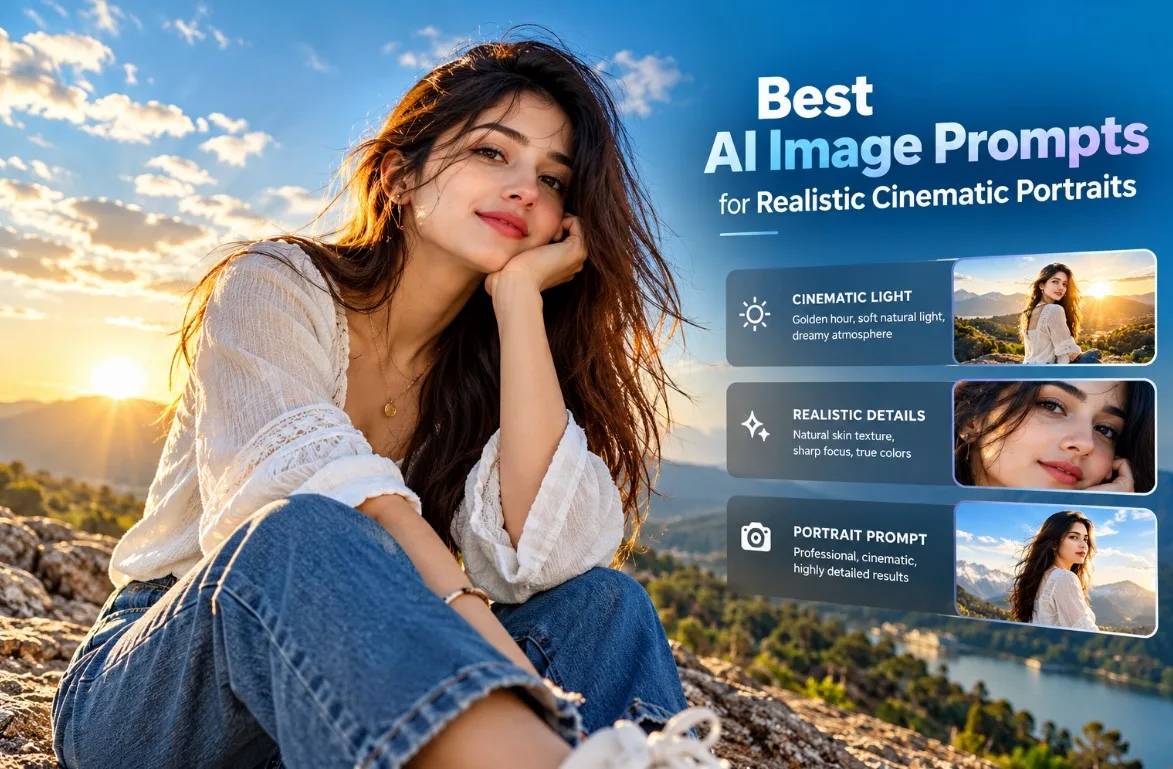
Best AI Image Prompts for Realistic Cinematic Portraits (2026)
Creating realistic AI portraits is easier when you know how to describe lighting, camera perspective, clothing, facial details, and the surrounding environment. A well-written AI image prompt can help you turn a simple idea into a cinematic photograph, a professional profile picture, or an eye-catching social media image.
In this guide, you will discover practical AI image prompts for realistic cinematic portraits, along with copy-and-paste examples and tips for improving your results.
Whether you use Gemini, ChatGPT image generation, or another AI image generator, these prompts give you a useful starting point for creating your own visual style.
What Makes a Realistic AI Image Prompt?
A good AI image prompt explains what you want the image to show and how the final image should look.
Instead of writing only "beautiful cinematic portrait," describe the subject, setting, lighting, composition, clothing, and photographic style.
For example, a prompt can specify soft natural light, realistic skin texture, detailed fabric, a clean background, and a carefully chosen camera angle.
The goal is to give the image generator clear visual instructions without filling the prompt with unnecessary adjectives.
1. Golden Hour Cinematic Portrait Prompt
Golden-hour lighting creates warm highlights, gentle shadows, and a natural photographic atmosphere. It works well for outdoor portraits, lifestyle photography, and social media visuals.
**Copy this AI image prompt:**
Create an ultra-realistic cinematic portrait of a young adult woman sitting on a natural stone ledge overlooking a beautiful mountain landscape at golden hour. She wears a flowing white textured blouse, classic blue jeans, and minimal elegant accessories. Warm sunlight illuminates her face and creates a subtle golden rim light around her hair. Capture natural skin texture, realistic facial details, detailed fabric, lifelike colors, and a relaxed expression. Use a slightly low camera angle, balanced composition, professional DSLR photography aesthetics, crisp environmental details, and a clean blue sky with delicate clouds. Avoid artificial skin smoothing, exaggerated facial features, and cartoon-like rendering. Vertical 4:5 composition.
**Best for:** Instagram portraits, lifestyle photography, AI photo collections, and creative portfolio projects.
2. Ultra-Realistic Close-Up Portrait Prompt
Close-up portraits emphasize facial details, expressions, and natural lighting. A precise prompt helps maintain a believable photographic appearance.
**Copy this AI image prompt:**
Generate a photorealistic close-up portrait of a young adult man standing beside a large window in a modern minimalist room. Soft daylight falls naturally across his face, revealing realistic skin texture, subtle pores, detailed eyebrows, natural eyes, and individual strands of hair. He wears a simple charcoal shirt with visible fabric texture. Use a natural expression, realistic color grading, gentle shadows, and a softly detailed background. Frame the image at eye level with a professional portrait photography aesthetic. Maintain natural proportions and sharp facial details without excessive retouching. Vertical 4:5 composition.
**Best for:** Profile pictures, portfolio portraits, editorial-style images, and photography inspiration.
3. Moody Cinematic Portrait Prompt
Moody lighting creates depth and atmosphere through controlled highlights, darker backgrounds, and carefully balanced contrast.
**Copy this AI image prompt:**
Create a realistic cinematic portrait of a young adult woman standing on a quiet city street shortly after sunset. She wears a sophisticated dark jacket and looks thoughtfully toward the camera. Soft directional light illuminates one side of her face while the background contains subtle reflections from distant streetlights. Show natural skin texture, detailed hair, realistic clothing folds, accurate facial proportions, and lifelike colors. Use a refined cinematic color palette, balanced shadows, realistic ambient light, and a carefully composed medium close-up. Keep the environment believable and avoid excessive glow, artificial skin, and exaggerated contrast. Vertical 4:5 format.
**Best for:** Cinematic photography concepts, creative portraits, fashion inspiration, and storytelling visuals.
4. Professional Outdoor Photography Prompt
Outdoor portraits can look more natural when the environment and light are described clearly.
**Copy this AI image prompt:**
Create a high-resolution photorealistic outdoor portrait of a young adult woman walking through a peaceful green park in the early morning. She wears a light beige jacket, a simple white top, and dark trousers. Gentle natural sunlight filters through the trees, creating realistic highlights and soft shadows. Include detailed leaves, natural background colors, believable depth, realistic skin texture, and individual hair strands. Capture the subject in a relaxed walking pose with natural body proportions and a candid expression. Use clean photographic composition, sharp subject details, balanced exposure, and a professional lifestyle photography look. Vertical 4:5 composition.
**Best for:** Lifestyle blogs, outdoor photography, social media content, and personal creative projects.
5. Minimalist Studio Portrait Prompt
Studio portraits are useful when you need a clean background and consistent visual presentation.
**Copy this AI image prompt:**
Generate a professional photorealistic studio portrait of a young adult man against a warm light-gray seamless background. He wears a fitted black crew-neck shirt with realistic fabric texture and a simple, confident expression. Use a large softbox-style key light, subtle fill light, natural facial shadows, and balanced exposure. Preserve realistic skin pores, fine hair details, accurate eyes, and natural facial proportions. Keep the background clean and distraction-free, with sharp focus on the face and a polished editorial photography aesthetic. Avoid excessive retouching, artificial skin smoothing, and unrealistic facial symmetry. Vertical 4:5 composition.
**Best for:** Professional profile images, portfolio websites, editorial concepts, and branding inspiration.
How to Write Better AI Image Prompts
You do not need hundreds of complicated words to produce a useful prompt. Start with the most important visual details and add instructions that support your intended result.
### 1. Describe the subject clearly
Explain who or what should appear in the image. Include relevant clothing, pose, expression, and other visible details.
### 2. Choose the lighting
Specify soft daylight, golden-hour sunlight, studio lighting, or moody evening light according to the style you want.
### 3. Explain the composition
Choose a close-up, medium portrait, full-body photograph, low-angle view, or vertical composition. This helps communicate how the subject should be framed.
### 4. Request realistic details
Mention natural skin texture, individual hair strands, accurate fabric texture, believable shadows, and natural colors where appropriate.
### 5. Keep the background relevant
A simple background can make a portrait easier to understand. For more environmental storytelling, describe the location and the details that matter.
### 6. Refine one detail at a time
If the first result is not quite right, adjust the lighting, framing, clothing, or background separately. Changing too many things at once can make it harder to understand which instruction improved the result.
Common AI Image Prompt Mistakes to Avoid
• Using vague descriptions without explaining the subject or environment.
• Adding contradictory lighting instructions.
• Requesting too many unrelated visual styles in one prompt.
• Overloading the prompt with repeated words such as "8K," "ultra-HD," and "perfect."
• Ignoring image composition and aspect ratio.
• Expecting every image generator to interpret instructions in exactly the same way.
The best approach is to write a clear prompt, review the generated image, and refine the details that need improvement.
Frequently Asked Questions
### What are the best AI image prompts for realistic portraits?
Prompts that clearly describe the subject, lighting, composition, clothing, background, and photographic details are a useful starting point. Golden-hour, studio, and natural-window-light prompts are popular styles to experiment with.
### Can I use these prompts with Gemini?
Yes. You can adapt these prompts for Gemini and other image generators. Available features and the interpretation of individual instructions may vary by tool.
### How can I make AI-generated faces look more realistic?
Describe natural skin texture, realistic facial proportions, believable lighting, detailed hair, and restrained retouching. Review the output and refine the specific details that look unnatural.
### Which aspect ratio should I use for social media portraits?
A 4:5 vertical composition is a useful starting point for portrait-oriented social media posts. A 9:16 composition may be more suitable for full-screen vertical content, while square images can work well for profile grids.
### Are these AI image prompts free to use?
The text prompts in this guide are provided for you to adapt and experiment with. Access to image generation may depend on the platform, its usage limits, and its terms. Check the relevant tool's terms before using generated images commercially.
Final Thoughts
Realistic AI portraits begin with clear visual instructions rather than a long list of impressive-sounding keywords. By describing lighting, subject details, composition, and the environment, you can create a more consistent starting point for your image-generation workflow.
Try the five prompts in this guide, customize them to suit your ideas, and experiment with different photographic styles.
Explore more AI image prompts, creative photography ideas, and practical prompt guides on Promptzyra to develop your own visual style.